Providing digital solutions since 2015 · Clients in India, Belgium, UAE & Qatar
Trusted by businesses in India and worldwide
MaricoHDFC LifeDaspan ForexTeevra ImpexRoyal ShippAthlonBiounikemGS Infra Power Solution

Modules

What SMRT Forex does

Every module a money-changing business uses daily, from the counter to the books.
Counter

Buy & sell / receipts

Currency purchases and sales with receipts and customer details.

Stock

Currency stock

Live stock by currency and location.

Rates

Rates & market trends

Rates and trends on the dashboard.

Money

Money transfer & settlements

Transfers, settlements and bank clearing.

Accounts

Account transactions & books

Ledgers and books without double entry.

Locations

Change location

Multiple branches in one system.

The basics

What is currency exchange software?

Currency exchange software (also called money changer or forex software) records the purchase and sale of foreign currency, tracks stock by currency and location, manages rates, settlements and bank clearing, and keeps the accounts. Money changers use it to serve customers faster, stay compliant and see profit in real time.

SMRT Forex was built with money changers and has been extended with accounting (SMRT Forex and Accounting ERP), so the counter and the books stay in sync.

At a glance

ProductSMRT Forex (currency exchange software)
ForMoney changers, FFMCs, forex counters
ModulesBuy/sell, stock, rates, transfers, settlements, bank clearing, books
AccessWeb-based, multi-location
Built byOver & All Tech, Mumbai

Inside SMRT Forex

Inside SMRT Forex

DashboardToday, yesterday, last week
MastersCurrencies, customers, banks
FinancialPayments and receipts
StocksBy currency and branch
Buy / Payment FromPurchases
Sale / Receipt ToSales
SettlementsPartner settlements
BooksLedgers and reports

Our work

See SMRT Forex in action

Demo video · YouTube

SMRT Forex and Accounting ERP: demo

SMRT Forex and Accounting ERP by Over & All Tech: currency exchange operations and financial accounting in one system for money changers.

Watch on YouTube ↗
Real screen

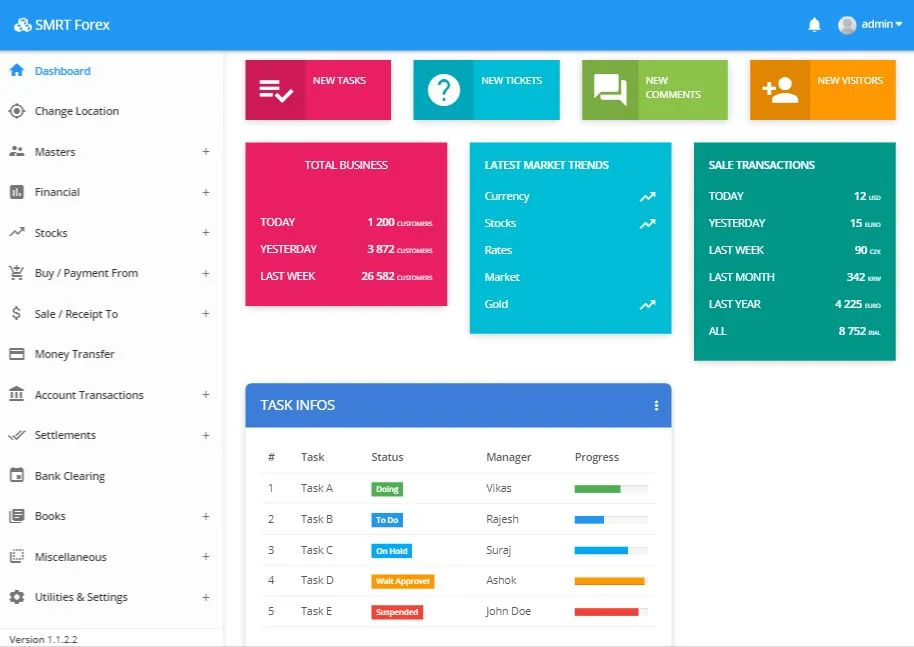
SMRT Forex dashboard

SMRT Forex dashboard

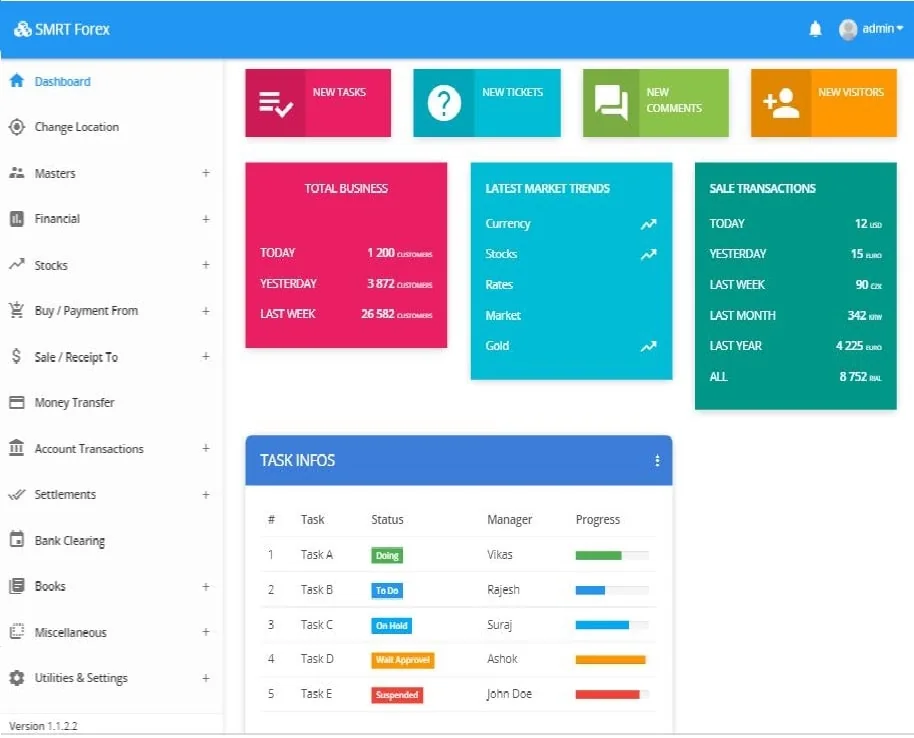
Total business, market trends and sale transactions at a glance.

All demos on our YouTube channel ↗

How we work

How to start with SMRT Forex

1
Demo

Free demo

30 minutes, your questions.

2
Setup

Setup

Currencies, branches, users.

3
Data

Opening data

Stock and balances.

4
Train

Training

Counter and accounts teams.

5
Support

Support

Mumbai team.

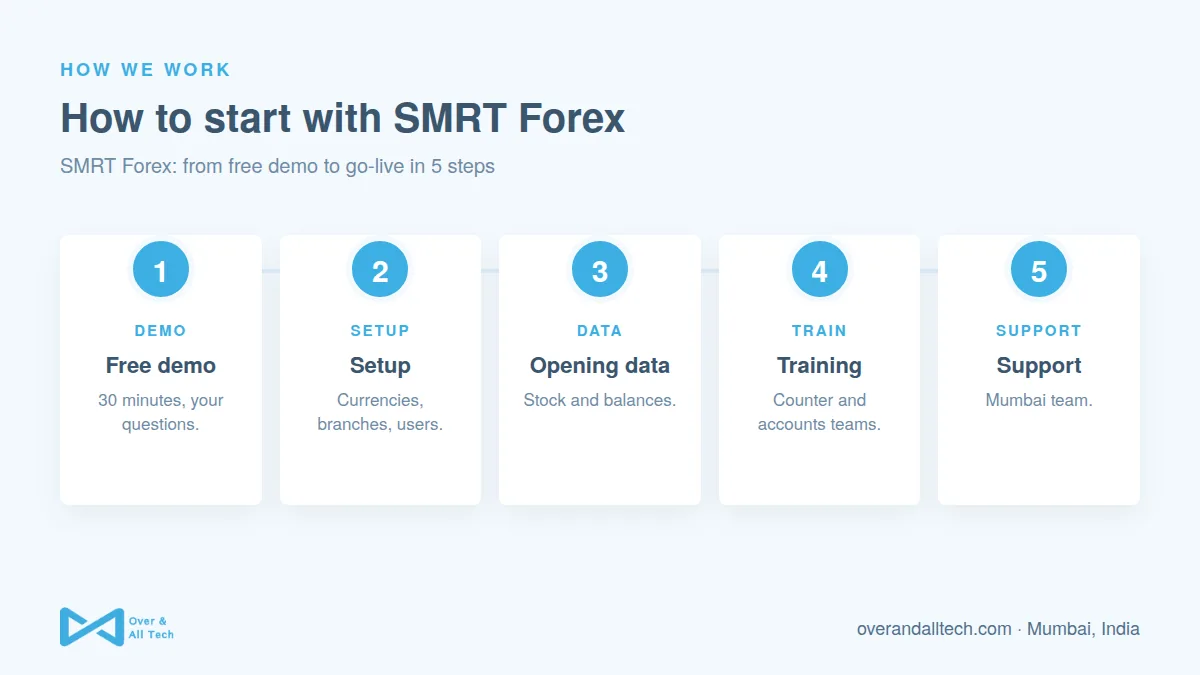
SMRT Forex process at Over & All Tech: 1. Free demo, 2. Setup, 3. Opening data, 4. Training, 5. Support
How to start with SMRT Forex: 5 steps, explained by Over & All Tech.

Pricing

How SMRT pricing works

SMRT is priced for your business, not from a one-size price list. Book a free demo and we will suggest a plan based on your users, branches and the modules you need.

Only what you use

Pick the modules you need today and add more as you grow.

Users and branches

The plan depends on how many people and locations use SMRT.

Setup and support

Setup, data migration, training and support from our Mumbai team are included in the plan we propose.

Book a Free Demo

Why Over & All Tech

Why money changers choose SMRT Forex

01

Built for money changers

Not a generic accounting tool.

02

Counter + books together

No double entry.

03

Multi-branch

All locations in one view.

04

Customisable

We own the code.

05

Local support

Mumbai team.

06

Proven

Running daily for real businesses.

FAQs

SMRT Forex: common questions

Who is SMRT Forex for?

Money changers, full-fledged money changers (FFMCs) and forex counters that buy and sell foreign currency.

Does SMRT Forex include accounting?

Yes. Account transactions, settlements, bank clearing and books are built in.

Can it handle multiple branches?

Yes. You can switch location and see stock and business by branch.

How do I see a demo?

Book a free demo or watch the SMRT Forex video on our YouTube channel.

Get in touch

One step away from your idea to product

Not sure what you need yet? That's fine. Tell us about your idea and we'll help you work out the best way to build, launch or grow it.

Schedule a Free Call

Tell us when suits you and we'll call you for a free 30-minute chat. We'll listen, answer your questions and suggest next steps.

Send a Message

Prefer to write? Tell us about your idea. A short note is enough.

+ Add project details (optional)

WhatsApp or Call

Want a quick answer? Message or call us directly.

  • WhatsApp+91 81088 49398 · quick replies
  • Call+91 81088 49398
  • Emailsupport@overandalltech.com
Chat on WhatsApp

✓ Free  ·  ✓ No obligation  ·  ✓ Reply within 24 hours  ·  ✓ NDA on request